Trick Photography and Special Effects
Affiliate Program
If you refer others to this product and they make a purchase, I will give you 50% of the sale on all orders that you have referred. Trick Photography and Special Effects has been promoted by popular photography education websites such as Digital Photography School, PictureCorrect, Picture Social, and Photoshop Roadmap to name a few.
Below are instructions to freely sign up to become an affiliate.
> > > Be sure to read this ENTIRE page BEFORE promoting! < < <
Sign Up Here
- Step 1: Sign up and get your ClickBank ID.
In case you don't know what ClickBank is, it's a very well known online marketplace that allows people like me who are selling stuff (ie. vendors) to automatically give commissions to others who promote their products (ie. affiliates).
If you don't want to use ClickBank (not recommended), the product is also available on E-Junkie.com.
- Step 2: Create your affiliate link.
To link to my sales page, replace the XXXXX's below with your ClickBank ID:
http://XXXXX.djqpon.hop.clickbank.net/
If you want to get advanced tracking features, this page "all about hoplinks" might help you.
- Step 3 (optional): Sign up on the affiliate notification e-mail list
This makes it so that I can keep in contact with you just in case there is anything new added to the product or if there will be any special promotions, etc. This will be important in the future. I send out VERY FEW emails to this list (maybe 1 email per year, if that), so you don't have to worry about having your inbox flooded.
- Step 4: Read all of the rules below on this page, and then start promoting the E-Book with your affiliate link! Whenever someone clicks your link and makes a purchase, you will get a commission and be notified of your sale by logging into ClickBank.com and checking your stats.
Additional information can be found at the ClickBank Affiliate Help page, if you need it.
How To Not Get Banned: Do's and Don'ts
ACCEPTABLE ways to promote my product:
- Feel free to use images from the main sales page or in the ebook itself to make your content more dynamic - however, only use the images marked with "Evan Sharboneau" in the fine print. I'm fine with affiliates using my images to promote the ebook, but the other photographers that have copyright status on their images may not want you to use them; if you must use their images, then you must get their permission before you use them for your purposes, just as I have done.
- To make it easy for you, I've created a zip folder of images you can use in your marketing material.
All of the images inside of the zip folder directly relate to Trick Photography and Special Effects and have been created by myself.
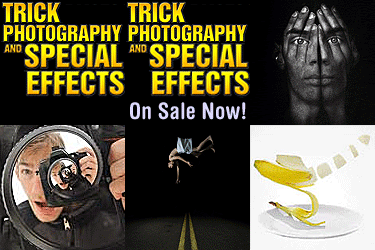
- If you have a blog or website, you can use the banner images below to place in the side bar or in a blog post.
Have the image be clickable with your unique affiliate link.
- If you have an e-mail list or newsletter, you can send out recommendations for the e-book.
- If you have a blog, you can write a review of the e-book and then refer your readers to your affiliate link.
- Creating Pay-Per-Click Advertisements to send traffic to your affiliate link. Here is a list of keywords.
If you need to disable the auto-play video, just add ?autoplay=0 to the end of your affiliate link.
- Commenting or updating your status on a forum or social media site recommending the e-book. Just be sure your comment is genuine and authentic and actually relates to what you are commenting on. Writing dozens of comments, however, could be seen as spam - please do not do that!
NON-Acceptable ways to promote my product:
- Spamming of any kind.
- Blasting out unsolicited e-mail messages to an e-mail list that you do not own (ie. spam).
- Writing dozens of comments on social media networks (esspecially YouTube) with your affiliate link, your video review, or anything similar. This is spam, and affiliates who do this A) do not get ANY sales, and B) get their affiliate ID de-activated.
- Impersonating my domain name in your email address (ie. evan@trickphotographybook.com, etc.) or a domain that belongs to someone else other than yourself. Use your own email address and do not impersonate.
- Anything that has false advertising. This includes advertising or falsely advertising the product as a "free download" in order to get clicks, or saying that my product or website will be removed from the internet after a certain period of time.
- Illegally using copyrighted images that have been created by other photographers other than myself in your marketing material without having their permission, especially if the images are completely unrelated to what is taught inside the course, and especially if you are using hundreds or thousands of them. If there is an image you find online that relates to a technique taught inside the course and you want to use it for your marketing, just make sure the image is marked with a Creative Commons license, or ask for their permission to use it - or, better yet, create your own.
- Posting your affiliate links in places that do now allow them. Read the legal Terms of Conditions on the site/forum you want to promote on to be sure the site doesn't frown upon affiliate links.
- Using dishonest SEO practices (ex. gathering hundreds of names of photographers and then creating affiliate redirection links where each URL that has been created includes their name in the URL in order to try to get people to click on your link in search engine results when they were searching for a different photographer. Same with creating dozens of YouTube videos with other photographer's names in the title, yet the video advertises my course - don't do that, it is spam/abuse).
- You are not legally allowed to resell this product through means other than this affiliate program. You are not legally allowed to resell this product on e-commerce websites (example: eBay), and if you do, the listing will just get reported and removed (usually within a few days).
- The bottom line: Affiliates who promote my product through spam, illegal, or misleading techniques will not be tolerated. Your affiliate link will be deactivated and you will no longer be able to promote my product.
If you have any questions regarding any of these guidelines, email me.
Promotional Images
Below are some promotional images you are free to use on your website, blog, or elsewhere. If you would like to make a request for any other promotional materials, please e-mail me.
Instructions for placing any image below on your website:
Copy the code below and paste it into Notepad so you can edit it. Replace XXXXX with your clickbank nickname, and replace IMAGE.gif with the image URL of one of the images below. To get the image URL of any image below, right click on the image and then click Copy Image Location, and it will be copied to your clipboard.
<a href="http://XXXXX.djqpon.hop.clickbank.net/"> <img src="IMAGE.gif"> </a>
Place the above code on your site (after modifying it using the instructions above) and bingo! You got a banner ad. If anyone clicks on that ad and ends up purchasing the product, you will get a commission.
Banners and Buttons
728 x 90 - Leader board banner ad



234 x 60 Half banner

125 x 125 Square button
190x300
260x125
120 x 240 Vertical banner
120 x 90 Button
120 x 60 Button
88 x 31 Micro button

250 x 250 Square
240 x 400 Vertical Rectangle
Static Interstitial - 300 x 250
Static Interstitial - 300 x 50

Static Wide Banner - 320 x 50

Tablet Full Screen - 1024 x 768 (displayed smaller to fit this page)
Large Phone Portrait - 480 x 320
Front Cover Artwork:
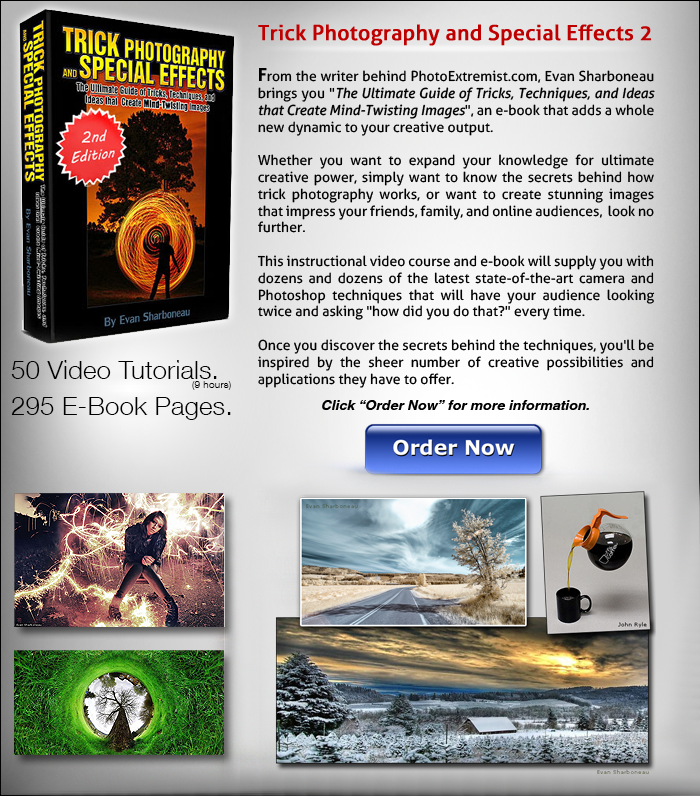
700x796 Product Listing
Currently Unavailable:
336 x 280 Large Rectangle
180 x 150 Rectangle
425x600 Extra Large Rectangle
425x500 Extra Large Rectangle
425x425 Extra Large Rectangle
144x130, 300x250,
468 x 60 Full horizontal banner